Privacy-first Android call control · 15-minute read
Why JustBlocked Is Different: A Privacy-First Spam Call Blocker Built for Android
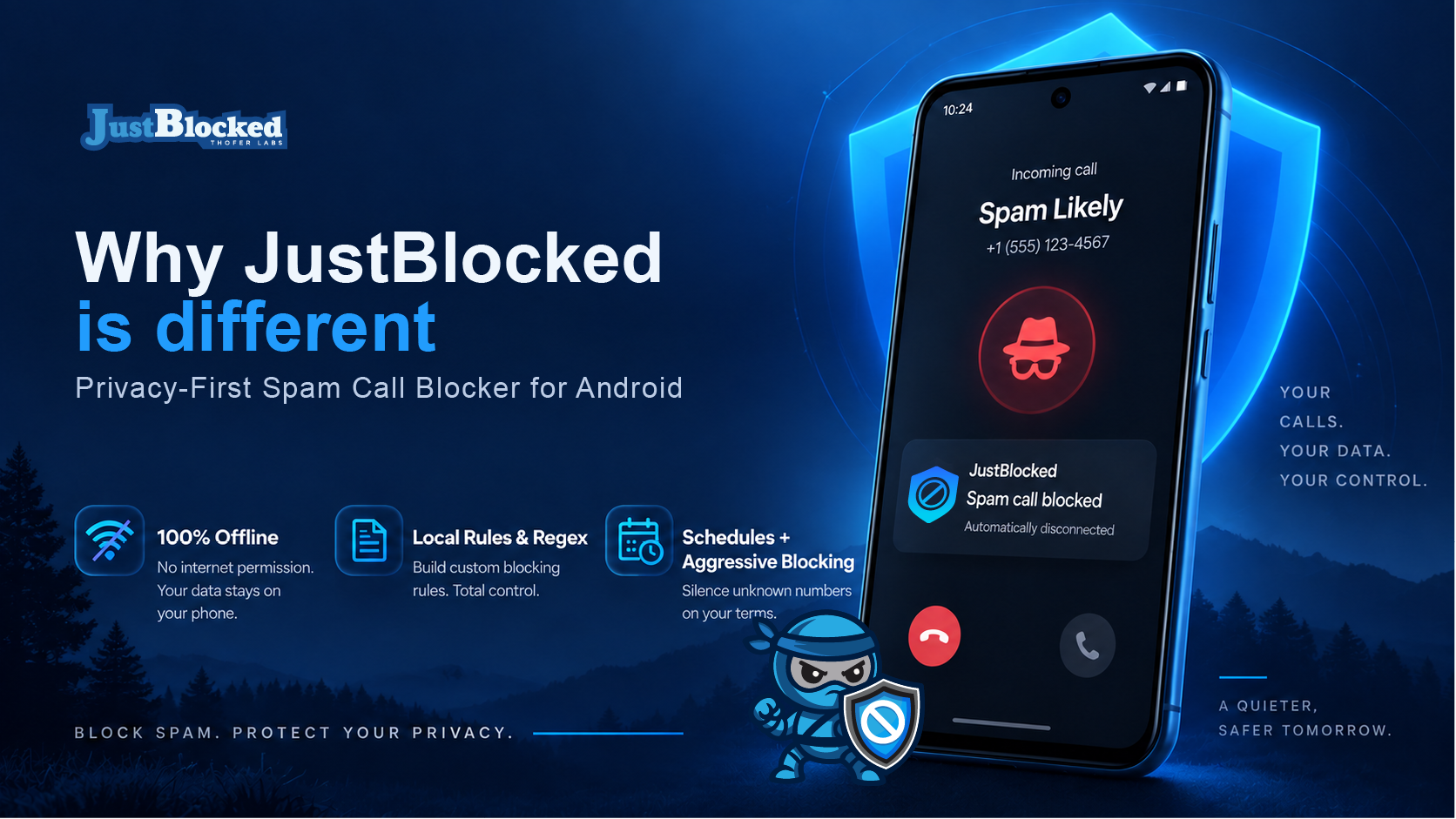
Most call blockers ask you to trust a database. JustBlocked takes a different route: give the phone owner direct, local control over who can ring, which patterns are blocked, when rules are active and how a matched unwanted call is handled.
The short version
JustBlocked is built around control, not crowdsourcing
Core call decisions are made from rules and contact context on the device rather than requiring a remote spam database lookup.
Rules can go beyond one-number-at-a-time blocking with exact, prefix, caller-name and advanced Regex matching.
Optional PRO schedules can change call behavior by day, time, caller type and selected policy.
On supported Android setups, PRO aggressive blocking can answer a matched call and disconnect it quickly instead of only rejecting it.
Find what matters to you
Search this guide
Showing all topics
Type a topic or choose a shortcut. The article stays fully available to search engines; filtering only changes what you see on this page.
No section matches that search yet. Try a broader word such as “privacy,” “blocking,” “schedule,” or “dialer.”
01 · The bigger shift
Why privacy-first call blocking matters now
Spam blocking has traditionally been sold as a data problem: collect more phone numbers, collect more reports, assign a reputation score, then warn the next person. That model can be useful, but it also creates a tradeoff. The more a product depends on a shared caller-identity network, the more the user has to trust the network, its data sources, its retention practices and its judgment about what counts as spam.
JustBlocked starts from a different question: what if the user already knows the behavior they do not want? Maybe every unsaved number should be blocked during work. Maybe hidden callers should never ring. Maybe a recurring range of numbers shares the same prefix. Maybe a family member needs a trusted-contact exception. Maybe a user wants a simple phone app without surrendering their personal address book just to participate in a global reputation system.
That is the idea behind the screenshots that inspired this guide. The compelling part is not a claim that one app can magically identify every spammer. It is that an Android user can define local rules and have the phone enforce those rules immediately. Privacy becomes a product architecture choice, not merely a policy statement.
Important distinction: JustBlocked is not trying to be a universal caller-identity oracle. It is built to give you deterministic controls over the callers and patterns you decide to allow, reject, silence or terminate.
02 · Local-first architecture
What “on-device” and “offline” actually mean in JustBlocked
For the core call-screening path, JustBlocked works from information available on the Android device: the incoming number, the configured block and allow rules, the selected mode, schedule state and—when the user grants permission—contact membership. The current Android application manifest does not request the standard android.permission.INTERNET permission. That matters because rule evaluation is not designed around uploading each incoming number to a cloud service and waiting for a remote verdict.
When a call arrives, JustBlocked's screening service normalizes the number, checks whether the call is private or hidden, resolves contact context when available, evaluates the active schedule and passes those facts into its local decision engine. The result can be allow, reject, silence or, where the necessary PRO entitlement and Android conditions are present, aggressive hang-up handling.
This architecture gives privacy-conscious users a clear boundary: your personal block rules can stay personal. A rule such as “block this exact number,” “block this prefix,” “allow this saved contact,” or “match this Regex” does not need to become a contribution to a public or commercial caller database in order to work.
“Offline” should still be described accurately. Google Play billing, the public JustBlocked website, support pages and other external services are separate from the local call-decision engine. Android itself may also provide carrier or platform metadata. The privacy claim that matters here is narrower and stronger: the blocking decision is designed to work from local configuration rather than requiring a cloud reputation lookup for each call.
03 · Granular filtering
A rule engine instead of a one-size-fits-all spam list
Basic phone blocking is easy when a single known number keeps calling. Real spam is usually messier. Campaigns rotate numbers, spoof nearby area codes, reuse recognizable prefixes or label themselves with repeatable caller-name text. This is where JustBlocked's rule engine becomes more useful than a simple blocked-number list.
The decision engine supports several rule types. Exact rules match a specific number. Prefix rules can catch a family of numbers that begins with the same sequence. Contains rules can match caller-name text. Advanced Regex rules can express more complex patterns for PRO users who need precise control.
For example, a technically inclined user could create a regular expression that matches a known numbering pattern rather than maintaining dozens of individual entries. A business owner could allow a known set of office numbers while blocking a nuisance range. A privacy-focused user could combine “block unknown callers” with explicit allow rules for trusted people. The goal is not complexity for its own sake; it is the ability to translate a real-world calling policy into something the phone can enforce consistently.
Rule strategy examples
- Exact
- Use when one specific number is the problem.
- Prefix
- Use when a repeated campaign rotates numbers within a recognizable range.
- Caller name
- Use when incoming caller labels repeatedly contain the same spam wording.
- Regex
- Use for carefully defined patterns that would otherwise require many individual rules.
Regex is powerful, so it should be treated like a precision tool. A pattern that is too broad can match legitimate calls. JustBlocked's engine skips invalid Regex patterns rather than crashing the call decision, but the safest practice is still to build narrow rules, test them and preserve trusted exceptions.
04 · Active defense
What “Aggressive: Answer + Hang Up” really does
Most call blockers take one of two paths: let the phone ring silently or reject the call. JustBlocked PRO adds a third option for supported Android configurations: an aggressive answer-and-disconnect flow for a call that has already matched a blocking rule.
The implementation is deliberate. The screening layer marks a matched call for aggressive handling only when the feature is entitled and the app is operating in the required default-dialer environment on a supported Android version. The in-call service then answers the audio call and disconnects after it becomes active, with a short safety timeout to deal with device-specific telecom behavior. If the prerequisites are not met, the system degrades to a normal reject path instead of pretending the aggressive action succeeded.
That distinction matters. JustBlocked is not answering random calls first and deciding later. The local rule engine decides whether the incoming call should be blocked; aggressive mode changes the action taken after that decision.
Why would anyone want this? Because “reject” and “terminate an answered call” can be treated differently by carrier and voicemail infrastructure. A fast answer-and-disconnect can make some automated calling systems encounter a completed call that ends immediately instead of a conventional rejection. It can also reduce the path by which some blocked calls proceed to voicemail. The exact result still depends on the carrier, device firmware, Android telecom implementation and voicemail configuration.
05 · The voicemail problem
Why “blocked” does not always mean “cannot leave voicemail”
One of the most frustrating parts of ordinary call blocking is discovering that the phone stayed quiet but the spammer still filled the voicemail inbox. That is not necessarily a failure of the blocker. In many phone and carrier setups, rejecting or silencing an incoming call simply changes where the network routes it next—and voicemail may be that destination.
This is why the answer-and-disconnect behavior in the reference screenshots deserves explanation. JustBlocked's aggressive mode is designed to end a matched call at the call level, not merely hide its ring. When the call is actually answered and then disconnected, some networks no longer treat it as an unanswered call that should be forwarded to voicemail.
But no responsible call-blocking app should promise universal voicemail prevention. Visual voicemail services, carrier forwarding rules, Wi-Fi calling, dual-SIM behavior, OEM telecom changes and future Android versions can all affect what happens. JustBlocked therefore treats aggressive mode as a stronger handling option, not a guarantee that every possible voicemail path disappears.
Practical expectation: use aggressive mode when your device supports it and unwanted callers are still reaching voicemail after standard rejection. Test with your carrier and keep normal rejection available as the predictable fallback.
06 · Automation
Adaptive schedules turn blocking into a routine instead of a chore
A call policy that makes sense at 2:00 p.m. may be annoying at 2:00 a.m. Likewise, a user may want unknown business calls during weekday hours but almost none during family time. JustBlocked PRO's schedule engine exists for that problem.
Traditional blocking schedules can define weekly time windows, including windows that cross midnight. The app can apply one behavior inside a scheduled window and another outside it. Date-specific overrides can temporarily replace the weekly routine without forcing the user to rebuild it.
Smart schedules go further. Policies can target categories such as all calls, unknown callers, private or hidden callers, or selected contact-based scopes. A policy can allow, reject, silence or request aggressive hang-up behavior. When multiple smart policies overlap, the engine uses priority and specificity rules so the result is deterministic rather than random.
That makes schedules useful for much more than “do not disturb.” A remote worker could allow unknown calls during a client window and reject them afterward. A parent could preserve trusted contacts while tightening unknown-call handling overnight. Someone caring for an older relative could create a simpler trusted-caller pattern. The feature works best when the schedule reflects the user's life rather than forcing the user to remember to toggle protection every day.
07 · Guardrails
Strong blocking needs equally strong fail-safes
A sophisticated rule engine is only useful if it avoids turning normal phone use into a guessing game. JustBlocked's decision code contains several protections intended to keep user control from becoming accidental lockout.
Emergency numbers are explicitly allowed by the local decision engine. Saved-contact handling includes fail-safe logic in relevant blocking modes, while explicit user-created exact rules can still override that protection when the user intentionally wants to block a particular saved number. If contact permission needed by a contacts-only mode is revoked, the logic is designed to fail open rather than blindly reject everyone because the app can no longer verify contact membership.
This is also why allowlists matter. A broad pattern can be useful, but every broad pattern creates the possibility of a false positive. The strongest JustBlocked setup usually combines a clear global policy with specific exceptions: trusted contacts, known business lines, family numbers and any other callers that must always get through.
Privacy and safety are not opposites here. Reading contacts locally can be a safer choice than uploading them to a remote identity service, provided the user understands why the permission is requested. JustBlocked uses contact context for local matching and safe-list behavior; the permission is not a requirement to publish an address book into a crowdsourced caller database.
08 · Beyond blocking
JustBlocked is also a full Android phone dialer
JustBlocked is not only a background blocklist utility. It can take the Android default-dialer role, which is central to some of its deeper call-control capabilities. The app includes its own in-call service and handles incoming and outgoing call experiences in addition to screening unwanted calls.
That matters for two reasons. First, Android reserves some telecom actions for the default phone app, so deeper call handling is not available to every background utility. Second, using one app for dialing and filtering gives the blocking engine more context about the call lifecycle and lets JustBlocked integrate the outcome with its own call history and blocked-call records.
The default-dialer requirement is especially relevant to aggressive blocking. If JustBlocked is not the default dialer, unsupported actions are deliberately downgraded rather than relying on hidden or brittle behavior. This makes the feature easier to reason about: standard screening remains available where Android allows it, while the most active controls require the role that Android expects a phone app to hold.
09 · Feature comparison
JustBlocked vs native Android and iOS call controls
The reference screenshots compare JustBlocked with built-in Android and iPhone filtering. The fairest modern comparison is not “one platform is private and the others are not.” Android and iOS both include meaningful privacy and call-safety features, and those features continue to change by OS version, device maker, carrier and region.
The practical difference is focus. Native phone apps are designed for hundreds of millions of users and therefore emphasize broadly useful controls. JustBlocked is intentionally narrower: it is an Android-first tool for people who want to write their own rules, automate them and choose a more forceful action for matches.
| Capability | JustBlocked on Android | Native Android phone controls | Native iPhone controls |
|---|---|---|---|
| Primary philosophy | User-defined local call policy | Integrated system screening and blocking | Integrated iOS call screening, silencing and blocking |
| Custom exact-number rules | Yes | Commonly available | Available through built-in blocking |
| Prefix and caller-name rules | Yes | No equivalent universal rule editor across Android devices | No equivalent built-in rule editor |
| Regex pattern rules | Yes, with eligible PRO features | No equivalent standard Google/Android user rule editor | No equivalent built-in user rule editor |
| Scheduled rule behavior | Yes, including weekly and smart policies with eligible PRO features | OS and device automation options vary | Focus and system settings can automate availability, but not a comparable JustBlocked rule engine |
| Aggressive answer + disconnect | Available with eligible PRO feature on supported default-dialer setups | No equivalent user-authored native blocking mode | No equivalent JustBlocked-style default-dialer action |
| Default phone app | Yes, can serve as the Android default dialer | Yes, supported Android dialers can hold the role | Apple's phone experience is native to iOS |
| Platform | Android | Android | iOS |
If all you need is a simple “block this number” button, the phone's built-in controls may be enough. JustBlocked becomes more compelling when the requirement sounds like a policy: “block all unknown numbers after 6 p.m. except trusted contacts,” “match this rotating pattern,” or “use a stronger action for this class of unwanted calls.”
10 · Product tiers
Free Standard gives you a real blocker; PRO adds deeper control
One statement in the original screenshots needs an update: JustBlocked is not a product with “no subscription paywalls” across every advanced feature. The current product has a free Standard experience and an optional JustBlocked PRO tier. That is an important distinction for an article intended to build trust.
Standard blocking is meant to remain useful without forcing every user into a subscription. PRO is where the more specialized capabilities live, including advanced entitlements such as Regex matching, schedules and aggressive blocking. Eligible new users can also receive a trial period through Google Play before deciding whether those advanced controls are worth keeping.
This model fits the product better than an advertising or caller-data resale model would. The value exchange is explicit: basic call control can remain accessible, while users who need more advanced policy tools pay for those tools. Pricing and eligibility can change, so the current JustBlocked pricing page is the source of truth for plans and trial details.
11 · Who it is for
Who benefits most from JustBlocked?
JustBlocked is a strong fit for Android users who know what they want their phone to do and prefer deterministic rules over a black-box reputation score. That includes privacy-conscious users who do not want call filtering to depend on sharing an address book, people who receive repeated robocalls from predictable number patterns, and users who need different call behavior at different times of day.
It can also make sense for small-business owners who want to preserve client access during business hours and tighten unknown-call handling later, families who want trusted contacts to stay reachable, and technically comfortable users who can take advantage of Regex patterns without turning every nuisance number into a separate rule.
It is probably not the right choice for someone who wants a giant crowdsourced caller directory that tries to name every unknown number. That is not JustBlocked's core design. The app is more like a programmable gatekeeper: you decide the policy, and the phone enforces it.
12 · Best practices
How to get the best results without over-blocking
- Start with a simple policy. Decide whether your main problem is hidden callers, unknown callers, a repeated number range or a schedule. Solve that first before stacking many rules.
- Build your trusted side first. Make sure critical contacts and numbers are preserved before enabling broad blocking behavior.
- Use exact and prefix rules before Regex when possible. The simplest rule that solves the problem is usually the easiest rule to audit later.
- Test aggressive mode with your carrier. If voicemail prevention is the goal, place controlled test calls and verify what your specific carrier does.
- Make JustBlocked the default dialer when you want full dialer integration. Some telecom actions only work when Android grants the app that role.
- Review blocked-call history after major changes. A short review period can reveal a rule that is too broad before it becomes inconvenient.
- Use schedules to reduce manual toggling. A well-designed routine is safer than repeatedly changing global settings and forgetting what state the app is in.
13 · FAQ
Frequently asked questions
Does JustBlocked need the internet to decide whether an incoming call matches my rules?
The core rule-matching path is designed to run on the device. The current Android manifest does not request the standard INTERNET permission, and the call decision engine evaluates the number, local rules, contact context and schedule state locally. The website, Google Play billing and other external services are separate from that call decision.
Does JustBlocked upload my contacts?
JustBlocked uses contact permission for local contact checks and safe-list behavior when those features are enabled. Its privacy-first design does not require uploading your address book into a crowdsourced caller database to make local block decisions.
Can I block an entire number pattern?
Yes. Exact and prefix rules cover many common cases, and eligible PRO features add Regex blocklist and allowlist matching for more advanced patterns.
Will aggressive blocking always prevent voicemail?
No. It is designed to answer and terminate a matched unwanted call quickly on supported setups, which can reduce voicemail routing in some environments. Carrier, OEM, Wi-Fi calling and voicemail behavior varies, so it should be tested rather than treated as a universal guarantee.
Can I change blocking behavior by weekday or time?
Yes. Eligible PRO schedules can define weekly windows, overnight periods, overrides and smart policies so call behavior changes automatically.
Why does JustBlocked want to be the default phone app?
Android gives the default dialer access to telecom responsibilities that ordinary background apps do not have. JustBlocked can use that role to provide its full phone experience and supported active call-handling features.
Is JustBlocked available on iPhone?
No. JustBlocked is built for Android and uses Android telecom and call-screening APIs. iPhone users need iOS-native controls or apps built specifically for Apple's platform.
The bottom line
A call blocker should enforce your boundaries, not create a new data dependency
The most important idea behind JustBlocked is straightforward: the person carrying the phone should have the final say. Local rules, advanced patterns, schedules and stronger call actions are all different expressions of the same design philosophy—make call control understandable and user-directed.
Native Android and iOS protections are valuable and will be enough for many people. JustBlocked is for the Android user who wants to go further: define the rules, keep the core decision local and choose exactly how the phone responds when an unwanted call matches.
Ready to take control?
Try JustBlocked on Android
Start with free Standard blocking, then decide whether JustBlocked PRO's advanced controls fit the way you use your phone.